

Description
Download Rotate Photo Video APK – rotate photo, rotate video, rotate media, free rotate tool, android rotate app, rotate image, rotate photo app, rotate video app, rotate media files, rotate photos and videos
Overview
Rotate Photo / Video by Maximum Horizon is a lightweight Android application designed to help users quickly adjust the orientation of their photos and videos. The software addresses a common issue faced by mobile users: media captured in the wrong orientation due to accidental device rotation or improper handling during recording. Whether it’s a photo taken sideways or a video filmed in portrait mode on a landscape display, this tool offers a straightforward solution. It is particularly useful for casual users, content creators, and social media enthusiasts who frequently manage multimedia files on their Android devices.
The application enables rotation in precise increments of 90, 180, or 270 degrees, providing flexibility for aligning media with desired display formats. It supports both image and video files, though specific compatibility with video formats may depend on the device’s Android version. The developer, Maximum Horizon, has focused on simplicity and accessibility, targeting users who need a no-frills tool without complex editing features. Real-world use cases include correcting orientation before sharing on social platforms, preparing media for presentations, or organizing personal photo albums.
Key Features & Capabilities
- Rotation in 90-Degree Increments – Users can rotate media files by 90, 180, or 270 degrees to correct orientation or create artistic effects.
- Support for Photos and Videos – The app handles both image and video files, making it a versatile tool for multimedia management.
- Simple, Intuitive Interface – The user-friendly design allows for quick access to rotation options without requiring technical knowledge.
- Android 4.3+ for Video Rotation – While photos can be rotated on any Android device, video rotation requires Android 4.3 or higher.
- Free to Use – No cost is associated with downloading or using the application, making it accessible to a broad audience.
These capabilities streamline the process of correcting media orientation, especially for users who lack access to advanced photo or video editing software. For example, a user can rotate a portrait-mode video to landscape for better viewing on a tablet or TV. Similarly, a photo taken sideways can be instantly realigned for sharing on a social media feed. The app’s minimalistic approach ensures fast processing and low learning curve, ideal for on-the-go adjustments.
User Interface, Workflow & Performance
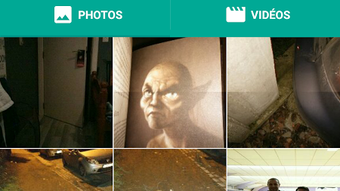
The application features a clean and minimal interface, designed to prioritize functionality over visual complexity. Navigation is straightforward, with a central selection area for media files and clearly labeled rotation buttons. Users can browse their device’s storage, select a file, and apply rotation with just a few taps. The workflow is optimized for speed and efficiency, reducing the number of steps required to complete a task.
Performance details were not specified by the developer. However, based on the app’s size of 12.5 MB and its focused functionality, it is likely to operate smoothly on most modern Android devices. The app does not appear to require extensive processing power, suggesting minimal impact on CPU or RAM usage. Stability is expected to be consistent, given the absence of complex editing algorithms. The developer did not provide information on background operation, update frequency, or crash reports.
Compatibility & System Requirements
Rotate Photo / Video is designed for Android devices. It requires Android 4.3 or higher to rotate video files, while photo rotation is supported on any Android device. The application has a file size of 12.5 MB, indicating a lightweight footprint that should not strain device storage. Exact system requirements were not listed beyond the Android version and file size.
Compatibility with specific hardware, such as processors or graphics cards, was not provided. The developer did not specify whether the app supports external storage, cloud integration, or file format limitations. Platform compatibility information is limited to the operating system and version requirements. Users should ensure their device meets the minimum Android version to access full functionality, particularly for video rotation.
Pros and Cons
Pros
- Simple and intuitive interface suitable for all user levels
- Free to download and use with no in-app purchases
- Supports both photo and video rotation with precise 90-degree increments
- Lightweight at 12.5 MB, ideal for devices with limited storage
- Fast and efficient workflow with minimal steps
Cons
- Video rotation requires Android 4.3 or higher, limiting older devices
- No advanced editing features beyond rotation
- Exact file format support not specified
- Limited customization options for output settings
- Developer did not provide detailed system requirements or performance data
FAQ Section
Is Rotate Photo / Video available for iOS devices?
The software is currently designed for Android only. No iOS version has been announced.
Do I need an internet connection to use the app?
No, the application operates entirely offline. All rotation functions are processed locally on the device.
Can I rotate multiple files at once?
The provided information does not specify whether batch rotation is supported. The app may allow one file at a time.
Is the app safe to download and install?
As a free tool from Maximum Horizon, the app is designed to be secure. However, users should only download from official sources to avoid potential risks.
How often are updates released?
The developer did not provide information on update frequency. Users are advised to check the official app store for the latest version.
Final Thoughts
Rotate Photo / Video by Maximum Horizon delivers a focused, efficient solution for correcting media orientation on Android devices. Its simplicity, low resource usage, and free access make it a practical choice for users who need a reliable rotation tool without the complexity of full-featured editors. While it lacks advanced features and detailed technical specifications, it excels in its core purpose: rotating photos and videos with ease. The app is especially beneficial for casual users, students, and content creators who value speed and accessibility. For those seeking a no-frills, secure, and lightweight tool to manage media orientation, this application stands out as a solid option. Download Rotate Photo Video APK now.
Guides & Tutorials for Rotate Photo Video APK
How to install Rotate Photo Video APK
- Click the Preview / Download button above.
- Once redirected, accept the terms and click Install.
- Wait for the Rotate Photo Video APK download to finish on your device.
How to use Rotate Photo Video APK
This software is primarily used for its core features described above. Open the app after installation to explore its capabilities.
User Reviews for Rotate Photo Video APK 0
No reviews found





